Activity Page Design Development

Learning a language

Page Design

  • Development for activity 1.


I started by referencing my design speficiation and began experimenting with my chosen fonts and compositions. Once I had a stable composition, I began playing with the design to push experimentation and provide me with extra options to fulfil aesthetics.

Design Experimentation

This slideshow requires JavaScript.

Discovering tools: eraser tool, this helped me clean up my designs, especially my drawn illustrations. I used this around the wave in my previous design as well as below to ensure the page is crisp and proffesional.

erasing colour.jpg

I found this a fun process and enjoyed discovering new helpful tools.


Mindful Expression

  • Below is the process of development for activity 2.


I kept with the layout from my drawn exploration, structuring my ideas around space and inviting colours. I began in the same way as before inserted my visuals on an A4 page and began experimenting with tools, font, text, colour and composition. Once I had my desired composition I was able to further explore its aesthetic through experimentation which can be seen below.

Design Experimentation


This slideshow requires JavaScript.


Landscape Drawing

  • Below is the process of development for activity 3


This was an enjoyable process as I had the idea of producing a website for my magazine, I felt the development of this piece was interesting as unlike my other designs, this has turned out nothing like I had invisioned so I am pleased with the final effect. I feel this designs balances the use of white in my other pieces.

Cover Design

skillstacks

Magazine Design

Using photoshop I began playing with my edited visuals and photography experimenting with effects I have learned from my online course. I kept in mind key factors from the Japanese graphic design website like lots of colour, gradients, blocking and text. I like each design but feel they are too dark and lack my desired quality – calming quirky colourful.


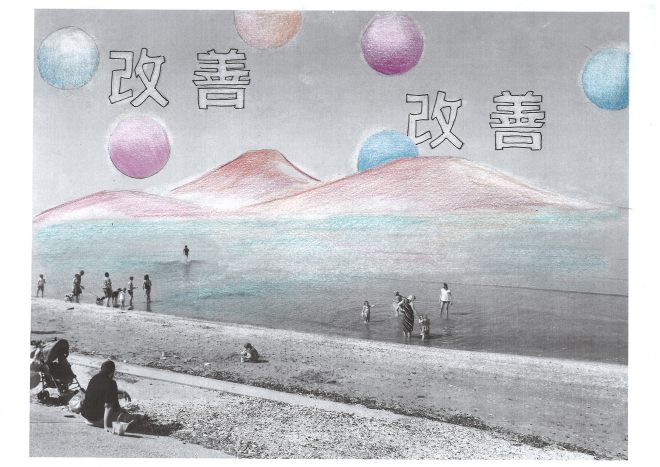
Drawing on primary photography scanning it in and editing

SCAN0075.JPG

I wanted to further my experimentation so I decided to print out some of my photography and visuals, adding shapes and font from my speficiation doc, I wanted to involve a feel of traditional Japan which is why I added the mountains in the back. I used coloured pencils referencing my pintrest board as a colour pallet and using a rubber to remove ink, forming glowing outlines and highlights. I then scanned this back into photoshop to maximise potential.

I expanded on these by playing around with colour editing tools and the cut out filter, this helped break the tones and produce different styles when I changed hue. I like the effect of these designs, particularly the pastle colour version as it echos a sense of Japanese graphic design which I feel is a success.


Photography and illustration

– sharpie, photography and photoshop

Here I blocked out some areas and highlighted around them, I felt this highlights a geisha form, and draws the eye into the centre. I furthered this by outlining her in black and the other figures in pink to play with pop effects. This works really well and looks well finished, I like the shadows and complementary colours, I used this in my first cover design and felt I needed to express more independence and individuality so I selected a more appropriate image from my photoshoot.

I used the same ideas as earlier, applying shapes and font in different styles, I really liked the impact and effect but I preferred my the composition from another photograph in an earlier post, I felt this result isn’t as simplistic and calming as the one by the canal.

I decided to combine these ideas using my preferred photo and same manipulation, I decided to try this out digitally and feel it looks much cleaner and well designed, though I do like the hand drawn aesthetic, I may combine these ideas further however I am happy with the above results and experimentation.

Page Design Development

Developing page visuals

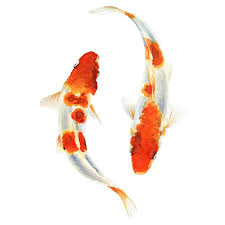
Fish

built layers of coloured pencil, watercolour and fine liner


I began this experimentation with coloured pencil as I felt I could control the colours well, as I went through this process I would scan the drawing into photoshop to see how it looked in different styles, this way I could see what I wanted to change and achieve that.


Above are the results from the coloured pencil illustration, I felt they were cool but lacked a polished air and needed a softer style so I attempted the same design in water colour. After scanning it into Photoshop, I found it lacked outline and form so I added a thin outline with fine liner. I found this held a much neater, brighter visual than my previous designs, especially when edited – I found they looked softer and more professional. Now I had my final design I was ready to experiment with colours, tools and styles, these can be seen in the slide show.


This slideshow requires JavaScript.


Wave

Watercolour, coloured pencil and finer liner


After producing my first activity illustration, I had in mind what style and process I should maintain, I fist created my waves in watercolour, building layers of tone with coloured pencils. After scanning it in, I found it lacked definition so I added the fine liner. I found this instantly improved the illustration and matched the fish well, I then began to experiment with colours, tools and styles in photoshop which can be seen in the slide show below. I found it difficult to identify which style I preffered so this helped me visualise my options and note which tool and style was used to achieve it for final development.


This slideshow requires JavaScript.

I tried out a variety of styles, filters and tools, exploring colour range to bring in a feel of pop to support my chosen theme. I liked the body of visuals from this though I felt these looked more so like childrens activity page, targeting a younger audience than desired.
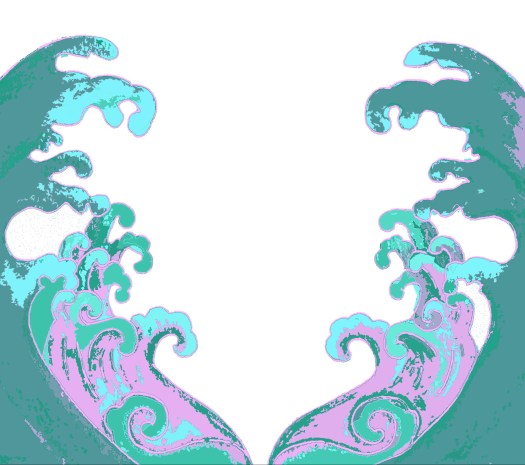
magic-wand-and-gradient-map-pastle-copy.jpg

I found that the style “cut out” works best for the illustrative and photographic work, I have been experimenting with it for cover design and feel it pushes the graphic style of the outcome, I like how it breaks the image into colours and shape making it look like a digital painting – This has been a very beneficial journey as this step will be part of the final process for content ilustration and cover design.


Landscape

After developing my steps, I thought about adding to the framing and display of the page, adding detail to the steps by editing the outline and positioning lines. I feel this looks much better than just a box. I then thought about how empty and colourless the page and how I could complete the page and visuals.
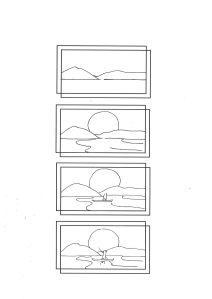
SCAN0087

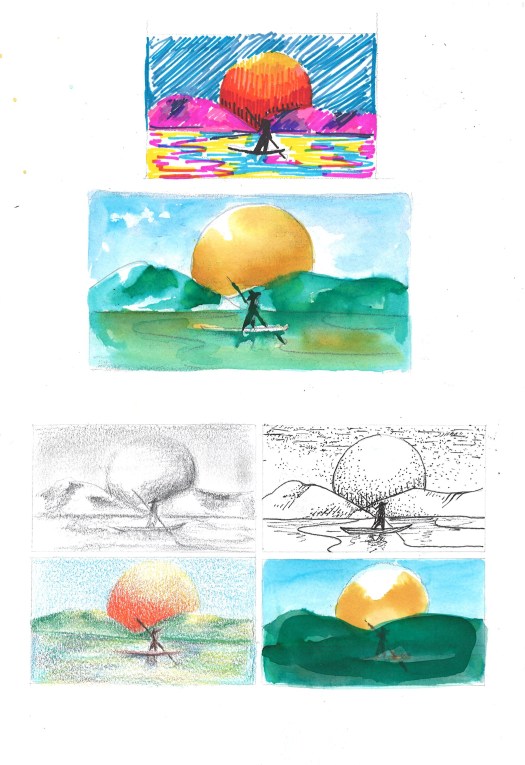
I thought about the visuals and felt it would be nice to involve more imagery as the steps will be black and white. To do this I felt using examples of what could be done with the result would be beneficial so I did them in a variety of mediums:

– sharpie, watercolour, fine liner, pencil and colours pencil.

Examples for the pageSCAN0089I feel these will help add to the page and work well for inspiration though I do feel a little unsure on how I will compose the image in a minimalist and creative manor, I may need to illiminate certain images or rethink the design.
 

Page Design and Visual Development

Stage one – Developing potential visuals

Using my content specification document I have been able to narrow down what subject should go with which activity. (Read the image captions to learn more)

Activity 1 – Learning a Language

I decided to chose a koi subject for my learning a language activity as it holds strong ties to Japan and works with the idea of being a fish out of water like being somewhere without knowing the spoken language. I also chose this specifically as it represents determination, ambition and independence as the Koi is known for travelling against the current and swimming upstream, therefore I feel it is an in context subject.


Activity – Mindful Colour

I started this using ideas of bamboo, koi, clouds and waves; I felt the waves worked best as they hold expression in themselves and represent flow and continuous change. By parting the waves as a frame for the creative drawing or expression, I felt I could indiciate a time for yourself,  almost as though we are parting the chaos for a minute of peace.


Activity – Drawing  a Landscape

I focused on drawing simple natural Japanese landscapes for this activity, working well with my minimalist nature theme. I also feel landscape drawing is a good place to start as a beginner, as this doesn’t require symmetry or precision making it a basic starting point for people to begin drawing through steps.

Magazine Design Development

After exploring a variety of artists, artworks, styles and processes I have been able to identify what I want to design and which elements I can use to achieve this.

Content subjects for design:

Nature through symbolism –

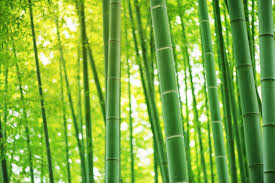
  • Bamboo – represent progression, japan and advancement
  • Bonsai trees – represents growth, disciplin and training
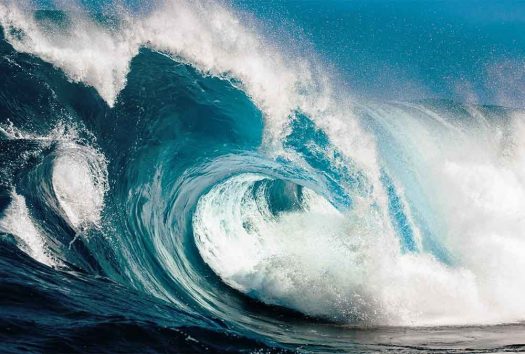
  • Water, sea, lakes, ponds, rivers – represents life, peace, waves, flow
  • Natural landscape, hills, sky, trees – represents clarity, environment, outisde lens
  • Seasons – represents time and change
  • Flowers – represents time, patience and blossoming


index

shapes:

I feel these shapes symbolise concepts of challenege, and continuous change so are optional for use in development.

  • waves
  • steps
  • circles
  • vines
  • spirals


ocean-waves-1000x675-1000x675.jpg

Animals

  • Koi fish – means luck and good fortune in japan
  • domestic animals: cats, dogs – popular in japanese printing
  • cats or Maneki-neko – good look charm in Japan and China
  • panda – in china and japan this represents friendship-
  • Birds: – longetivity and luck in japan
    owls: protection from suffering
    -roosters: sacred bird in japan for tempting the sun godess
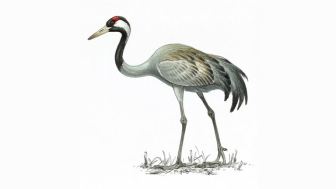
    -cranes: promotes good health and fortune

crane_adult_1200x675

koi