
Developing page visuals
Fish
built layers of coloured pencil, watercolour and fine liner


I began this experimentation with coloured pencil as I felt I could control the colours well, as I went through this process I would scan the drawing into photoshop to see how it looked in different styles, this way I could see what I wanted to change and achieve that.
Above are the results from the coloured pencil illustration, I felt they were cool but lacked a polished air and needed a softer style so I attempted the same design in water colour. After scanning it into Photoshop, I found it lacked outline and form so I added a thin outline with fine liner. I found this held a much neater, brighter visual than my previous designs, especially when edited – I found they looked softer and more professional. Now I had my final design I was ready to experiment with colours, tools and styles, these can be seen in the slide show.


Wave
Watercolour, coloured pencil and finer liner


After producing my first activity illustration, I had in mind what style and process I should maintain, I fist created my waves in watercolour, building layers of tone with coloured pencils. After scanning it in, I found it lacked definition so I added the fine liner. I found this instantly improved the illustration and matched the fish well, I then began to experiment with colours, tools and styles in photoshop which can be seen in the slide show below. I found it difficult to identify which style I preffered so this helped me visualise my options and note which tool and style was used to achieve it for final development.
I tried out a variety of styles, filters and tools, exploring colour range to bring in a feel of pop to support my chosen theme. I liked the body of visuals from this though I felt these looked more so like childrens activity page, targeting a younger audience than desired.
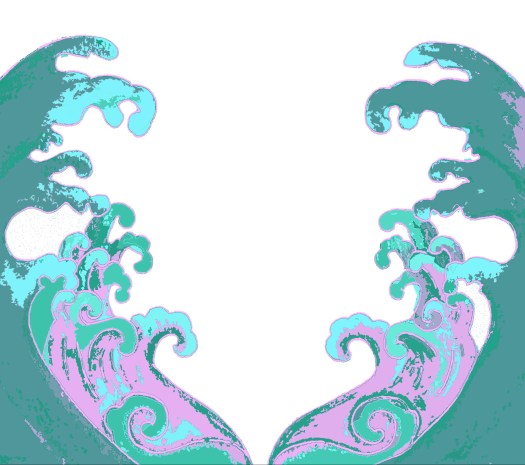
I found that the style “cut out” works best for the illustrative and photographic work, I have been experimenting with it for cover design and feel it pushes the graphic style of the outcome, I like how it breaks the image into colours and shape making it look like a digital painting – This has been a very beneficial journey as this step will be part of the final process for content ilustration and cover design.
Landscape
After developing my steps, I thought about adding to the framing and display of the page, adding detail to the steps by editing the outline and positioning lines. I feel this looks much better than just a box. I then thought about how empty and colourless the page and how I could complete the page and visuals.
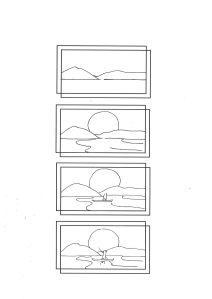
I thought about the visuals and felt it would be nice to involve more imagery as the steps will be black and white. To do this I felt using examples of what could be done with the result would be beneficial so I did them in a variety of mediums:
– sharpie, watercolour, fine liner, pencil and colours pencil.
Examples for the page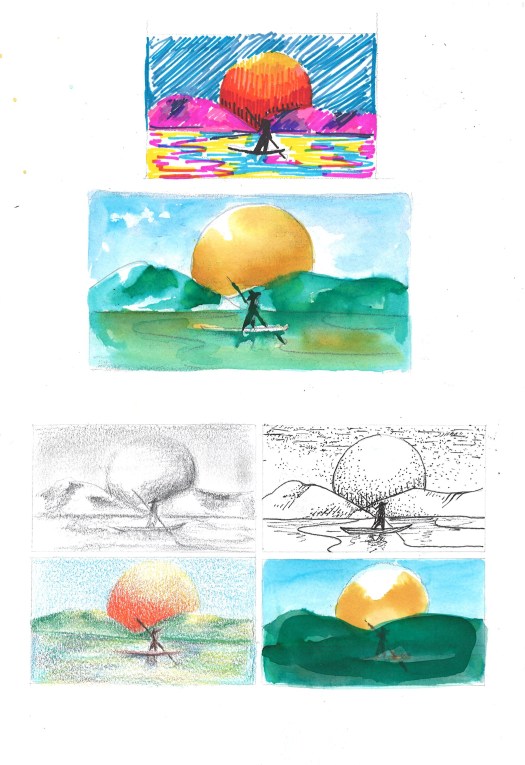 I feel these will help add to the page and work well for inspiration though I do feel a little unsure on how I will compose the image in a minimalist and creative manor, I may need to illiminate certain images or rethink the design.
 FAYE TIKIC